No description
| gerberex | ||
| test | ||
| .gitignore | ||
| README.md | ||
| setup.py | ||

PCB tools extension
PCB tools extension is a Python library to panelize gerber files. This library is designed based on PCB tools which provides cool functionality to handle PCB such as generationg PCB image from gerber files.
PCB tools extension adds following function to PCB tools.
- Rotate PCB data (imprementation is not completed)
- Save loding PCB data
- Merge multiple PCB data
- Translate DXF file to gerber data
Only RS-274x format and Excellon drill format data can be handled by current version of this library.
How to panelize
Following code is a example to panelize two top metal layer files.
import gerberex

ctx = gerberex.GerberComposition()

metal1 = gerberex.read('board1.gtl')
ctx.merge(metal1)

metal2 = gerberex.read('board2.gtl')
metal2.to_metric()
metal2.offset(30, 0)
ctx.merge(metal2)

ctx.dump('panelized-board.gtl')
In case of Excellon drill data, you have to use DrillCompositon instead of GerberComposition.
import gerberex

ctx = gerberex.DrillComposition()

drill1 = gerberex.read('board1.txt')
ctx.merge(drill1)

drill2 = gerberex.read('board2.txt')
drill2.to_metric()
drill2.offset(30, 0)
ctx.merge(drill2)

ctx.dump('panelized-board.txt')
DXF file translation
You can also load a dxf file and handle that as same as RX-274x gerber file.
This function is useful to generate outline data of pnanelized PCB boad.
import gerberex

ctx = gerberex.GerberComposition()
dxf = gerberex.read('outline.dxf')
ctx.merge(dxf)
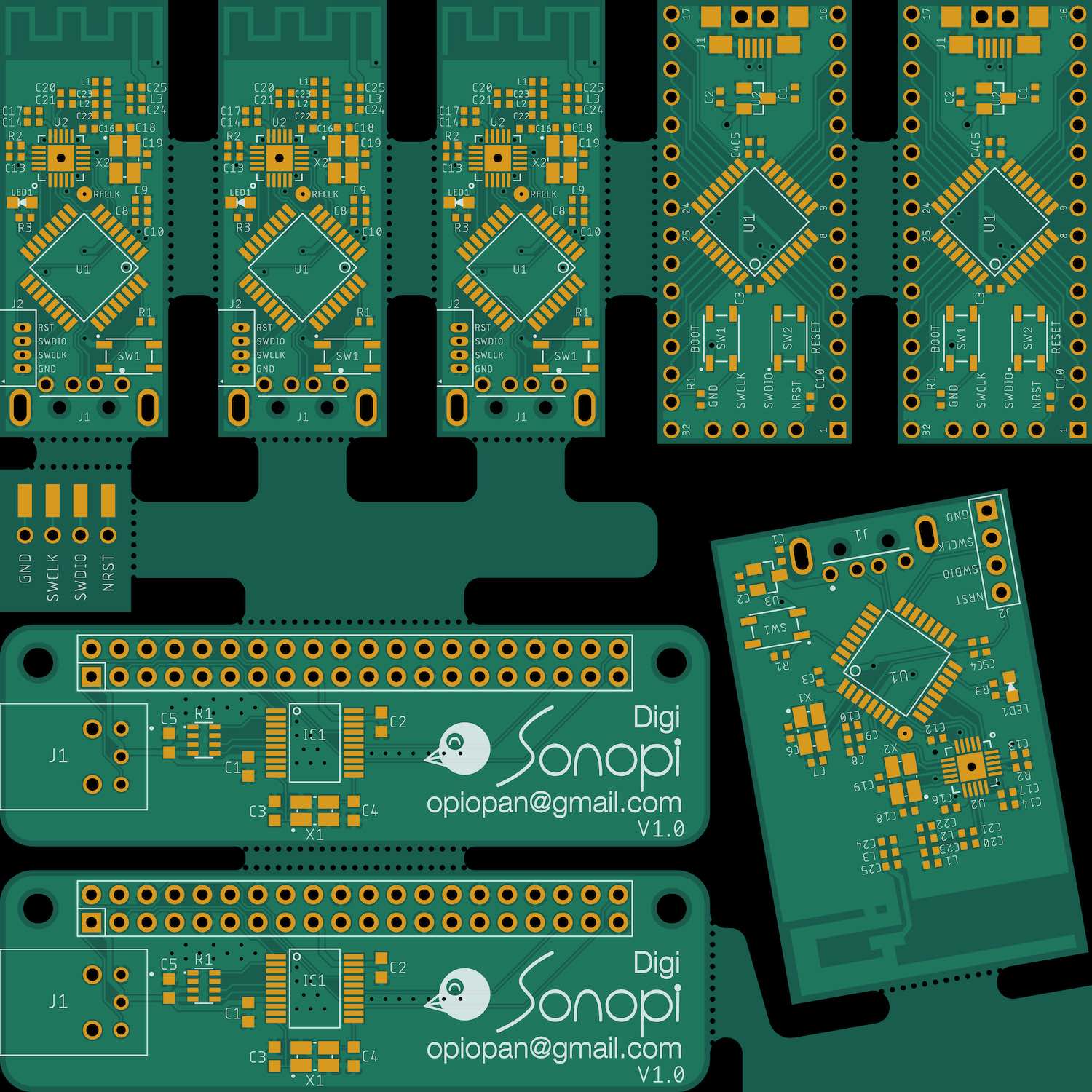
Panelized board image Example
This image is generated by original PCB tools fucntion.
Installation
$ git clone https://github.com/opiopan/pcb-tools-extension.git
$ pip install pcb-tools-extension