| gerberex | ||
| test | ||
| .gitignore | ||
| LICENSE | ||
| README.md | ||
| setup.py | ||

PCB tools extension
PCB tools extension is a Python library to panelize gerber files. This library is designed based on PCB tools which provides cool functionality to handle PCB such as generationg PCB image from gerber files.
PCB tools extension adds following function to PCB tools.
- Rotate PCB data
- Write back loded PCB data (original PCB tools does not work completely)
- Merge multiple PCB data
- Translate DXF file to gerber data
Only RS-274x format and Excellon drill format data can be handled by current version of this library.
Install
PCB tools extension is not registerd to PyPI repository.
Please install from GitHub repository as below.
$ pip install git+https://github.com/opiopan/pcb-tools-extension
How to panelize
Following code is a example to panelize two top metal layer files.
import gerberex

ctx = gerberex.GerberComposition()

metal1 = gerberex.read('board1.gtl')
ctx.merge(metal1)

metal2 = gerberex.read('board2.gtl')
metal2.to_metric()
metal2.rotate(-20)
metal2.offset(30, 0)
ctx.merge(metal2)

ctx.dump('panelized-board.gtl')
rotate() method can be used to rotate PCB data counterclockwise. you have to specify angle in degree
offset() method can be used to move PCB data. Specified offset values are interpreted according to unit setting of PCB data. In case of the above code, board2.gtl move to 30mm left since to_metric() is called.
In case of Excellon drill data, you have to use DrillCompositon instead of GerberComposition.
import gerberex

ctx = gerberex.DrillComposition()

drill1 = gerberex.read('board1.txt')
ctx.merge(drill1)

drill2 = gerberex.read('board2.txt')
drill2.to_metric()
drill2.rotate(-20)
drill2.offset(30, 0)
ctx.merge(drill2)

ctx.dump('panelized-board.txt')
DXF file translation
You can also load a dxf file and handle that as same as RX-274x gerber file.
This function is useful to generate outline data of pnanelized PCB boad.
import gerberex

ctx = gerberex.GerberComposition()
dxf = gerberex.read('outline.dxf')
ctx.merge(dxf)
Circle object, Arc object, Line object and Polyline object are supported. Other kind of objects in DXF file are ignored when translating to gerber data.
You can specify line width (default 0). PCB tools extension will translate DXF primitive shape to RX-274x line or arc sequense using circle aperture with diamater as same as specified line width.
import gerberex

dxf = gerberex.read('outline.dxf')
dxf.to_inch()
dxf.width = 0.004
dxf.write('outline.gml')
You can also translate DXF closed shape such as circle to RX-274x polygon fill sequence.
In order to fill closed shape, DM_FILL has to be set to drawing_mode property. In this mode, All object except circle and closed polyline will be ignored.
import gerberex

dxf = gerberex.read('outline.dxf')
dxf.draw_mode = gerberex.DxfFile.DM_FILL
dxf.write('outline.gml')
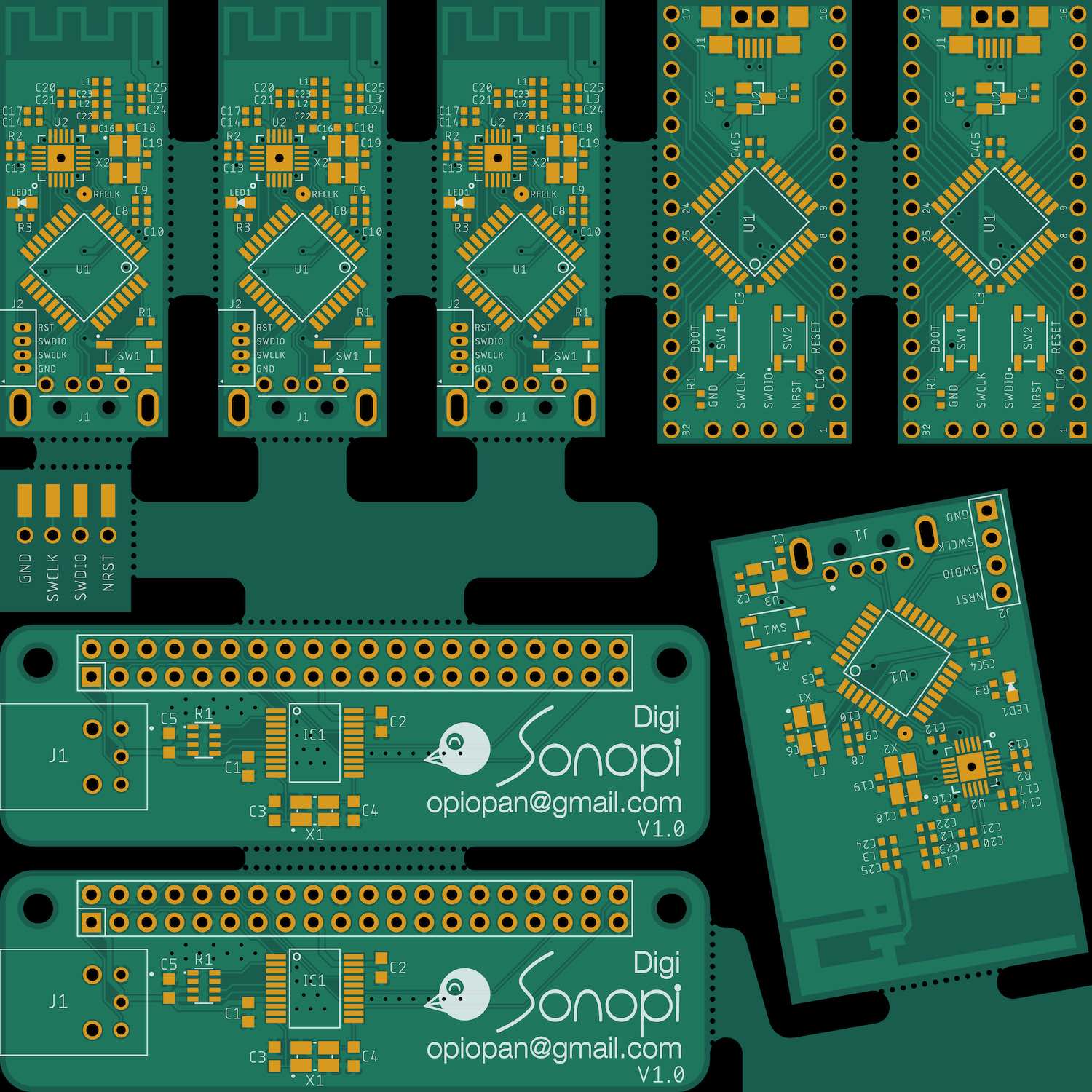
Panelized board image Example
This image is generated by original PCB tools fucntion.