No description
 f2c26ed7a7
This works by making lolcat always reset the color at the end of a line on its input, and only setting a new color immediately before printing the first character on the next line. This way, assuming that whatever process is piped into lolcat follow the standard convention where stdout is buffered line-wise, and only writes full lines to stderr, a process that outputs to both stdout and stderr but that has only stdout piped through lolcat (as most people would do) would have it's stderr output interleave nicely uncolored with the lolcat-colored stdout output. This won't always work, but it gets us most of the way there with little effort and negligible (2 extra escape sequences per line of output) performance overhead. Thanks to github user @kolayne for reporting this as an issue! |
||
|---|---|---|
| autotools | ||
| .gitignore | ||
| .gitmodules | ||
| censor.c | ||
| LICENSE | ||
| LOLCat-Rainbow.jpg | ||
| lolcat.c | ||
| Makefile | ||
| PKGBUILD | ||
| README.md | ||
| screenshot.png | ||
| sl.gif | ||
| xterm256lut.h | ||
| xterm256lut_gen.py | ||


What?

Screenshot
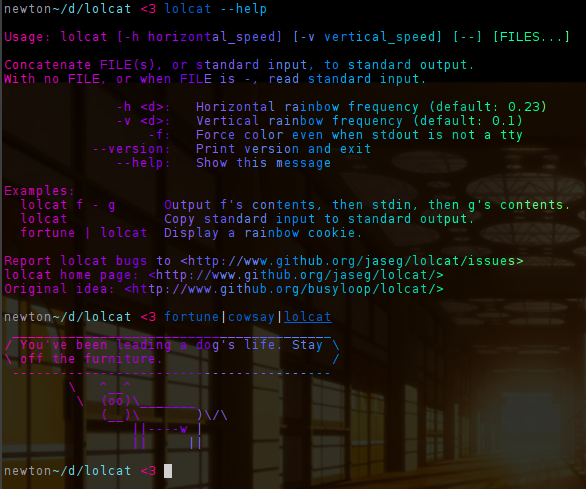

Installation
Archlinux
There's an AUR package:
$ git clone https://aur.archlinux.org/packages/c-lolcat
$ cd c-lolcat
$ makepkg -csi
Fedora
$ dnf install lolcat
Ubuntu (Snap)
See this awesome blog post by a kind person from the internet:
$ snap install lolcat-c
Mac
Build loclcat with:
$ make lolcat
...and put the resulting binary at a place of your choice.
Others
$ make && sudo make install
Why?
This lolcat clone is an attempt to reduce the world's carbon dioxide emissions by optimizing inefficient code. It's >10x as fast and <0.1% as large as the original one.
newton~/d/lolcat <3 dmesg>foo
newton~/d/lolcat <3 time upstream/bin/lolcat foo
13.51user 1.34system 0:15.99elapsed 92%CPU (0avgtext+0avgdata 10864maxresident)k
0inputs+0outputs (0major+1716minor)pagefaults 0swaps
newton~/d/lolcat <3 time ./lolcat foo
0.02user 0.00system 0:00.09elapsed 34%CPU (0avgtext+0avgdata 1936maxresident)k
0inputs+0outputs (0major+117minor)pagefaults 0swaps
Bonus comparison with python-lolcat:
newton~/d/lolcat <3 dmesg>foo
$ time python-lolcat foo
12.27user 0.00system 0:12.29elapsed 99%CPU (0avgtext+0avgdata 11484maxresident)k
0inputs+0outputs (0major+1627minor)pagefaults 0swaps
$ time c-lolcat foo
0.29user 0.00system 0:00.30elapsed 98%CPU (0avgtext+0avgdata 468maxresident)k
0inputs+0outputs (0major+21minor)pagefaults 0swaps
(Read: c-lolcat << python-lolcat << ruby-lolcat)